What do I need to do to get started?
Fill out a form. You send 2N5 the numbers to monitor, where each one belongs (company, office, department), and who should be notified when something fails. 2N5 does everything else: nobody at your company creates a service account, installs software on the PBX, or sets up alerts. That is how managed VoIP monitoring works in practice.
What are the steps?
- You send your circuits. Numbers, sites, and who needs to know about a problem.
- 2N5 verifies each one. Every circuit is proven with a real call before it goes into monitoring, and the expected greeting is recorded as a reference.
- 2N5 calls all night long. At the agreed pace, every call is assessed: did it connect, did audio flow both ways, was it the right message, what was the measured quality. Failures are retried and false alarms are filtered out.
- You hear about it first. An incident with evidence, the escalation ladder by email, and an SLA report every month.
Who does what?
| You | 2N5 |
|---|---|
| Send the list of circuits and contacts | Adds each circuit and proves it with a real call |
| Say what should answer each number | Records the reference greeting and tunes the quality thresholds |
| Choose who gets notified, and in what order | Builds the escalation ladder and the reports |
| Receive the alerts and take ownership of incidents | Keeps the calls, the platform, and the monitoring itself running |
What watches the monitoring itself?
If the fault is on 2N5’s side, for example our calling platform not responding, the test is marked blind: it does not count against your circuit, does not go into the SLA, and does not wake your team. 2N5 is the one notified. A periodic heartbeat also alerts 2N5 if the monitoring stops running.
Does it work with my PBX and my carrier?
Yes. Monitor calls numbers, the way a customer does. That is why it works with any PBX or contact center platform and with any carrier, with no integration. It does not depend on what your equipment reports about itself. See how each platform tends to fail silently on the pages for 3CX, Asterisk, Genesys Cloud, Amazon Connect and Microsoft Teams.
Where can I read more?
The guide to SIP trunk, 0800 and IVR monitoring explains the technique, the synthetic monitoring entry defines the term, and the guide to VoIP monitoring tools in Brazil compares Monitor with other tools. For Zabbix, see the comparison.
Frequently asked questions
What is a managed voice monitoring service?
You give 2N5 the list of numbers, where each one belongs and who should be notified. 2N5 adds and proves each circuit with a real call, places the test calls, filters out false alarms, notifies your contact ladder and, for Enterprise customers, sends the SLA report every month. Nobody at your company installs software or sets up alerts.
How do I monitor a 3CX / Asterisk / Issabel PBX?
Without installing anything on the PBX: Monitor by 2N5 calls the numbers that come in through it, like a customer, and checks whether the call connects, whether audio flows both ways and whether the voice sounds clear. It works with 3CX, Asterisk, Issabel and others, any version, on-premises or hosted, because it does not depend on what the PBX reports about itself.
How do I monitor Genesys / Amazon Connect / Teams Direct Routing phone lines?
The same way, from the outside, by calling the numbers that reach the platform. Monitor by 2N5 does not integrate with Genesys Cloud, Amazon Connect or Microsoft Teams: it calls the numbers and checks the result like a customer, with the SIP code when a call fails. That is why it works with any contact center platform.
Do I need to install anything?
Not for voice circuits. 2N5 places the calls from its own platform. Only to track a site's internet link does 2N5 install a small agent there, over remote access and with your written authorization. No software goes on the PBX, the SBC or the voice network.
Do the test calls interfere with real calls?
Each test is a short call to a number you choose, such as a test tone, an echo service, or your greeting, within a call limit. It holds a channel for a few seconds, like a customer call, and your customers' calls are never touched.
How long does it take to get started?
As long as it takes you to send the list and 2N5 to verify each circuit with a real call. A circuit only goes into monitoring after it passes that check, and the expected greeting is recorded as the reference at that step. 2N5 agrees with you on the test pace and on who receives each alert.
Can my team see the dashboard?
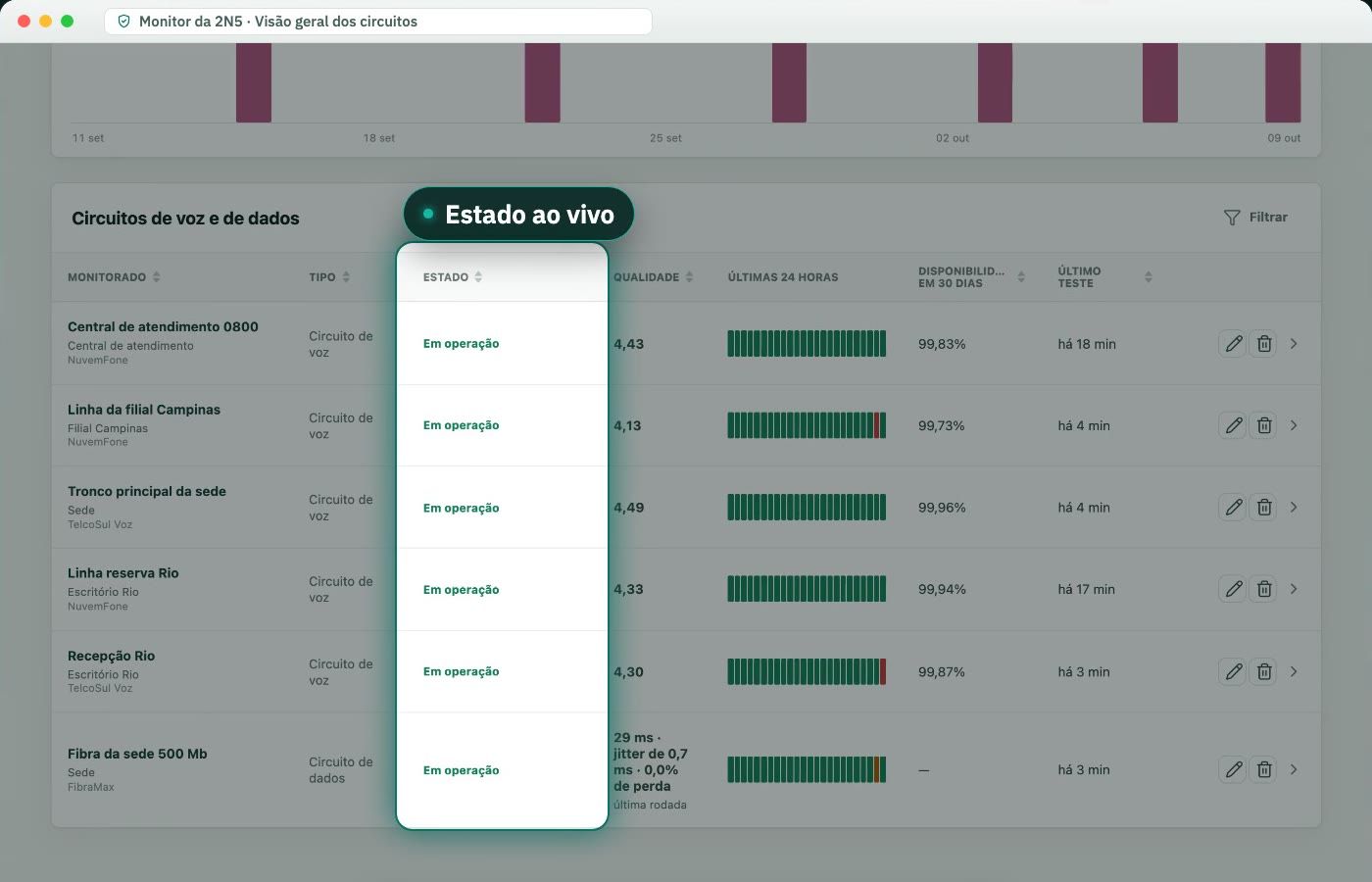
Yes. Each manager signs in to Monitor and sees their part of the organization (company, office, or department), with the status of every circuit, the incidents, and the reports. People who are not managers still receive the alerts and the reports by email, without signing in to the dashboard.
What if I have an outsourced NOC?
Monitor does not replace whoever fixes the fault; it makes sure someone finds out about it, with the evidence. The NOC can be one of the tiers of the escalation ladder, receiving the confirmed alert with the SIP code and the Q.850 cause, and taking ownership of the incident with a tap.
Which tool monitors SIP trunks, internet links and websites together?
Monitor by 2N5 brings voice circuits (SIP trunks, 0800, 0300 and 4004), internet links, websites and email into one managed service, with the same alert ladder and the same dashboard. Other tools cover parts of this separately; the comparison pages show what each one does, with the source for each statement.